
Security Tips 2026: Keep Your Privacy Settings On | Leaf Technologies

Security Tips 2026: Keep Your Privacy Settings On | Leaf Technologies

Every time you browse a website, download an app, or sign up for a new service, you leave a digital trail. This trail is made up of your browsing habits, location data, personal preferences, contacts, and even your real-time activity. Without actively managing your privacy settings, this information can be harvested, shared, sold, and in some cases, exploited by malicious actors.

At Leaf Technologies, we work with businesses and individuals across South Africa to strengthen their cybersecurity posture. One of the most consistent — and preventable — vulnerabilities we encounter is this: people leave their privacy settings at factory defaults. Default settings are almost always configured to collect the maximum amount of data, not to protect you.

Your digital privacy does not protect itself. Keeping your privacy settings on means you decide what information you share, with whom, and for what purpose. That control is invaluable.

South Africa’s Protection of Personal Information Act (POPIA) gives you the right to privacy and control over your personal data. However, exercising that right requires you to actively manage your privacy settings — the law alone cannot protect you if you leave your data exposed.


Table of Contents

  1. Why Privacy Settings Matter More Than Ever
  2. What Apps & Websites Collect Without You Knowing
  3. Privacy Settings Guide by Platform
  4. Securing Privacy on Mobile Devices
  5. Social Media Privacy: Lock It Down
  6. Browser Privacy: Your Online Footprint
  7. Advanced Privacy Tips from Leaf Technologies
  8. Common Privacy Mistakes to Avoid
  9. Conclusion: Privacy Is an Active Choice

Why Privacy Settings Matter More Than Ever

The digital landscape has changed dramatically. Every app, website, and connected device is a potential data collection point. According to recent research, 91% of people feel they have lost control of their personal data — and it’s not hard to see why. In 2024 alone, the largest known data breach exposed 2.9 billion records, and the average cost of a data breach in South Africa reached R2.7 million.

What makes this particularly alarming is that 74% of data breaches involve the human element — and one of the most common contributing factors is misconfigured or ignored privacy settings. The risk is real, and it affects everyday users just as much as large organisations.

Privacy settings are your first and most accessible line of defence. They determine what data apps and platforms can collect, who can see your information, and how your digital footprint is managed. When left at their defaults, most platforms are configured to gather as much data as possible — not to protect you.


What Apps & Websites Collect Without You Knowing

Understanding what gets collected when your privacy settings are off — or left at default — is the first step toward taking back control. Here is what many apps and platforms routinely gather:

  • Location data — Your precise GPS coordinates, updated in real time, even when the app is running in the background.
  • Contact lists — Many apps request access to your entire address book, including details of people who never agreed to share their data.
  • Microphone and camera access — Apps with these permissions can, in some cases, record audio or video in the background.
  • Device identifiers — Your phone’s unique identifiers allow advertisers to track you across multiple apps and platforms without your knowledge.
  • Browsing history — Especially through browser extensions and ad networks, your full browsing history can be profiled and sold.
  • Behavioural patterns — How long you spend on content, what you tap, scroll past, or re-read is monitored and used to build an advertising profile.
  • Financial activity inferences — Even without direct banking access, apps can infer your income bracket and spending habits from usage patterns.
“If you’re not paying for the product, you are the product. Your data is the currency — and without privacy settings, you’re spending it without knowing.”

Privacy Settings Guide by Platform

Platform Where to Find Privacy Settings Key Action to Take
Google Account myaccount.google.com → Data & Privacy Turn off Web & App Activity and Ad Personalisation
Facebook / Meta Settings & Privacy → Privacy Checkup Limit who sees your posts; turn off Off-Facebook Activity
Instagram Settings → Privacy Set account to Private; limit activity status visibility
WhatsApp Settings → Privacy Disable read receipts; set profile photo to “My Contacts Only”
Windows 11 Settings → Privacy & Security Disable diagnostics sharing, location tracking, and ad ID
macOS / iOS System Settings → Privacy & Security Review app permissions; enable App Tracking Transparency
Android Settings → Privacy Use Permission Manager; disable ad personalisation
LinkedIn Settings → Visibility Turn off profile view sharing; control third-party data exports

Securing Privacy on Mobile Devices

Your smartphone is arguably the most data-rich device you own. It knows where you are, who you talk to, what you buy, how you exercise, and even how you sleep. Keeping your mobile privacy settings properly configured is critical.

App Permissions: The Golden Rule

Only grant an app the permissions it genuinely needs to function. A flashlight app has no legitimate need for your contacts or location. A photo editor does not need microphone access. Apply the principle of least privilege — give apps only what they absolutely need, and nothing more.

  • Regularly audit app permissions through your phone’s Privacy or Permissions Manager.
  • Revoke location access for any app that doesn’t require it to function.
  • Switch location access from “Always” to “Only while using the app” wherever possible.
  • Disable background app refresh for apps that don’t need it.
  • Turn off personalised advertising in your device settings — both iOS and Android offer this option.
  • Use the built-in privacy reports (available on iOS under Settings → Privacy & Security → App Privacy Report) to see which apps are accessing your data and how often.

Leaf Technologies Tip: On Android, go to Settings → Privacy → Permission Manager. On iPhone, go to Settings → Privacy & Security → App Privacy Report. Make it a monthly habit to review these reports — you’ll often be surprised by what you find.


Social Media Privacy: Lock It Down

Social media platforms are designed to maximise data collection. Every like, share, comment, and even how long you pause on a post is tracked and used to build a detailed profile about you. Using social media without configuring your privacy settings is one of the most common — and avoidable — risks people take online.

Facebook & Instagram

Use the Privacy Checkup tool on Facebook to walk through who can see your posts, your friend list, and your profile information. On Instagram, switching to a private account ensures only approved followers can see your content — a simple but powerful first step.

LinkedIn

Professional networking doesn’t mean leaving all your career and personal data open. In LinkedIn’s privacy settings, you can control who sees your connections, disable profile view tracking, and opt out of data sharing with third-party partners.

TikTok & Emerging Platforms

Newer platforms often have the weakest default privacy protections. Always set your account to private immediately upon creating it — before you post anything. Review what data the app requests access to, and if the permissions seem excessive, consider whether the app is worth the risk.

Warning: Oversharing on social media — especially your location, daily routine, and personal milestones — can make you a target for social engineering, phishing attacks, and even physical crime. Share only what’s necessary, and with the right audience.


Browser Privacy: Your Online Footprint

Your web browser is the window through which you see the internet — and it can also be the window through which the internet sees you. Default browser settings typically allow cookies, tracking scripts, and data collection from virtually every website you visit.

  • Use a privacy-focused browser such as Firefox, Brave, or Safari, which offer stronger built-in tracking protections than Chrome by default.
  • Enable “Do Not Track” in your browser settings (note: this relies on websites to honour the request).
  • Install a reputable ad and tracker blocker such as uBlock Origin.
  • Regularly clear your browsing history, cookies, and cached data.
  • Avoid saving passwords directly in your browser — use a dedicated password manager instead.
  • Be cautious with browser extensions: they can have extensive access to your browsing activity. Only install extensions from trusted, verified developers.
  • Use private or incognito mode on shared devices — but remember, this does not hide your activity from your ISP or employer network.
  • Consider using a reputable VPN (Virtual Private Network) when connecting on public Wi-Fi to encrypt your connection.

Advanced Privacy Tips from Leaf Technologies

Once you’ve covered the basics, these additional steps will significantly strengthen your privacy posture — particularly for businesses and high-value individuals in South Africa.

Enable Two-Factor Authentication (2FA) Everywhere

Two-factor authentication adds a second layer of verification to your accounts. Even if someone obtains your password, they cannot access your account without the second factor. Enable 2FA on every account that supports it — prioritising your email, banking, and social media accounts first.

Use Unique, Strong Passwords

Password reuse is one of the most common causes of account compromise. Use a password manager such as Bitwarden, 1Password, or NordPass to generate and securely store unique, complex passwords for every account. Never reuse passwords across different services.

Review Connected Apps Regularly

Over time, you grant many third-party apps access to your core accounts like Google, Facebook, or Apple ID. Regularly review and revoke access to apps you no longer use. Both Google and Facebook provide dedicated dashboards where you can manage all connected third-party applications.

Encrypt Your Devices

Enable full-disk encryption on all your devices. Modern smartphones encrypt by default when you set a PIN or passcode. On Windows, enable Bitlocker. On Mac, enable FileVault. This ensures that even if your device is stolen, your data cannot be easily accessed without your credentials.

Be Wary of Public Wi-Fi

Public Wi-Fi networks in shopping centres, airports, and coffee shops are prime hunting grounds for cybercriminals. Avoid accessing sensitive accounts or conducting financial transactions on public networks. If you must connect, always use a VPN to encrypt your traffic.

Leaf Technologies Pro Tip: Set a recurring calendar reminder every three months to audit your privacy settings across all major platforms. Technology and app permissions change frequently — what was adequately protected last year may not be today. A quarterly privacy review is a healthy habit for any digital citizen or business.


Common Privacy Mistakes to Avoid

  • Skipping the Terms & Conditions: Tools like tosdr.org offer quick plain-language summaries.
  • Clicking “Accept All” on cookie banners: Take a moment to decline non-essential cookies.
  • Using the same email for everything: Use a secondary email for sign-ups and competitions.
  • Ignoring operating system updates: Updates contain critical security patches.
  • Oversharing location data: Think twice before tagging your home or workplace.
  • Downloading apps from unofficial sources: Only use the Google Play Store or Apple App Store.
  • Assuming private/incognito mode means invisible: Your ISP and websites can still see your activity.

Conclusion: Privacy Is an Active Choice

Your digital privacy does not protect itself. In a world where data is currency, keeping your privacy settings on is one of the most empowering decisions you can make. It’s not about being paranoid — it’s about being informed and in control.

At Leaf Technologies, we are passionate about empowering South Africans with the knowledge and tools they need to stay safe online.

Contact Leaf Technologies Today


Published by Leaf Technologies · Cybersecurity & IT Solutions, South Africa · 24 April 2026

The Importance of CCTV in Security Systems

The Importance of CCTV in Security Systems

In an era where security concerns are escalating across various sectors, the integration of Closed-Circuit Television (CCTV) and access control systems has become imperative. These technologies not only enhance security but also streamline operations and ensure regulatory compliance. This article aims to provide a comprehensive overview of CCTV and access control systems, their benefits, challenges, and the future of these technologies, particularly in professional environments.


The Importance of CCTV in Security Systems

Overview of CCTV Technology

Closed-Circuit Television (CCTV) refers to a system of video cameras used to transmit signals to a specific place, typically for surveillance purposes. Unlike broadcast television, the signals are not openly transmitted, providing a level of security. CCTV systems can range from basic analog setups to advanced digital systems that include cloud storage and artificial intelligence for enhanced monitoring capabilities. These systems are pivotal in both crime prevention and evidence collection, making them essential for modern security strategies.

The Importance Of Cctv In Security Systems

Benefits of CCTV Surveillance

CCTV systems offer numerous advantages, including deterrence of criminal activity, increased safety for employees and customers, and improved monitoring of operations. The mere presence of cameras can discourage potential wrongdoers from engaging in illegal activities. Furthermore, in the event of incidents such as theft or vandalism, recorded footage can serve as crucial evidence for investigations and legal proceedings.

Additionally, CCTV can improve operational efficiency by allowing businesses to monitor employee productivity and compliance with safety protocols. This dual functionality—security and operational efficiency—makes CCTV systems a versatile solution for various industries.

Challenges and Limitations of CCTV

Despite their many benefits, CCTV systems are not without their challenges. Issues such as privacy concerns, data storage limitations, and the potential for misuse of footage can arise. Furthermore, older analog systems may not provide the image clarity needed for effective surveillance, leading to difficulties in identifying individuals or actions. The rapid advancement in technology also means that businesses must consistently invest in upgrades, which can become a financial burden.

Moreover, reliance on CCTV systems alone can create a false sense of security. While they are a powerful tool, they should be part of a broader security strategy that includes access control and human oversight.

Access Control Systems: A Comprehensive Overview

Types of Access Control Systems

Access control systems regulate who can enter or exit particular areas within a facility. These systems can be classified into three main types: discretionary access control (DAC), mandatory access control (MAC), and role-based access control (RBAC). DAC allows users to control access to their resources, while MAC restricts access based on system-enforced policies. RBAC assigns access permissions based on the roles of individual users within an organization, promoting efficiency and security.

Integration of Access Control with CCTV

The integration of access control systems with CCTV enhances security by providing real-time monitoring and verification of access points. This synergy allows security personnel to view live footage of entry points, assess situations as they occur, and respond more effectively to unauthorized access attempts. For instance, if an access control system triggers an alarm due to a breach, the associated CCTV camera can automatically focus on that area, giving security teams vital information for immediate response.

Advantages of a Unified Security System

Implementing a unified security system that combines CCTV and access control offers a plethora of benefits. One significant advantage is the centralization of security management. Security personnel can monitor all aspects of a facility from a single interface, leading to streamlined operations and improved response times. Additionally, unified systems can reduce costs by minimizing the need for multiple disparate systems and the associated maintenance.

Biometrics: The Future of Access Control

Biometric authentication uses unique biological traits, such as fingerprints, facial recognition, iris patterns, or voice recognition, to grant access. Fingerprint scanners are among the most common biometric systems due to their accuracy and ease of use. Facial recognition technology has gained traction in recent years, particularly in high-security environments, as it allows for contactless access.

Key Benefits of Biometrics:

  • Nearly impossible to forge or lose credentials.
  • Enhanced user convenience (no codes to remember).
  • High precision for data centers and research facilities.

Case Studies: Successful Implementations

Retail Sector: A major department store chain implemented an integrated system to reduce theft. By installing high-definition cameras at entry/exit points linked to employee access logs, the store saw a marked decrease in inventory shrinkage and increased staff confidence.

Corporate Environment: A Fortune 500 company utilized RFID cards combined with biometric authentication for sensitive areas. Integrated CCTV feeds provided real-time verification, allowing for swift response to potential threats while maintaining a smooth workflow.

The future is poised for significant advancements. The integration of Internet of Things (IoT) devices is becoming prevalent, enabling smarter, interconnected security systems. Additionally, Cloud Storage solutions are making it easier to manage large volumes of video footage, allowing organizations to access surveillance data from anywhere via mobile apps.

Artificial Intelligence (AI) is also transforming the landscape by analyzing video footage in real-time to identify unusual behavior or recognized threats without human intervention.

Conclusion

The integration of CCTV and access control systems is essential for enhancing security in today's dynamic environments. While challenges exist, the benefits of these systems—especially when enhanced by AI and biometrics—far outweigh the drawbacks. By investing in modern security solutions, organizations in South Africa can create safer environments for employees, customers, and assets alike.


FAQs

What is the primary purpose of CCTV systems?
CCTV systems are primarily used for surveillance, deterring criminal activity, monitoring operations, and providing evidence in case of incidents.

How does access control enhance security?
Access control systems limit entry to authorized personnel, thereby reducing the risk of unauthorized access to sensitive areas.

What are the challenges of using biometric systems?
Challenges include privacy concerns, implementation costs, and varying accuracy based on environmental factors like lighting or dirt.

How can organizations integrate CCTV and access control systems?
By using compatible hardware/software platforms that centralize management into a single dashboard for real-time monitoring.

CCTV     Solutions

CCTV Solutions

CCTV Solutions

Do you have eyes on your business? Are they yours?

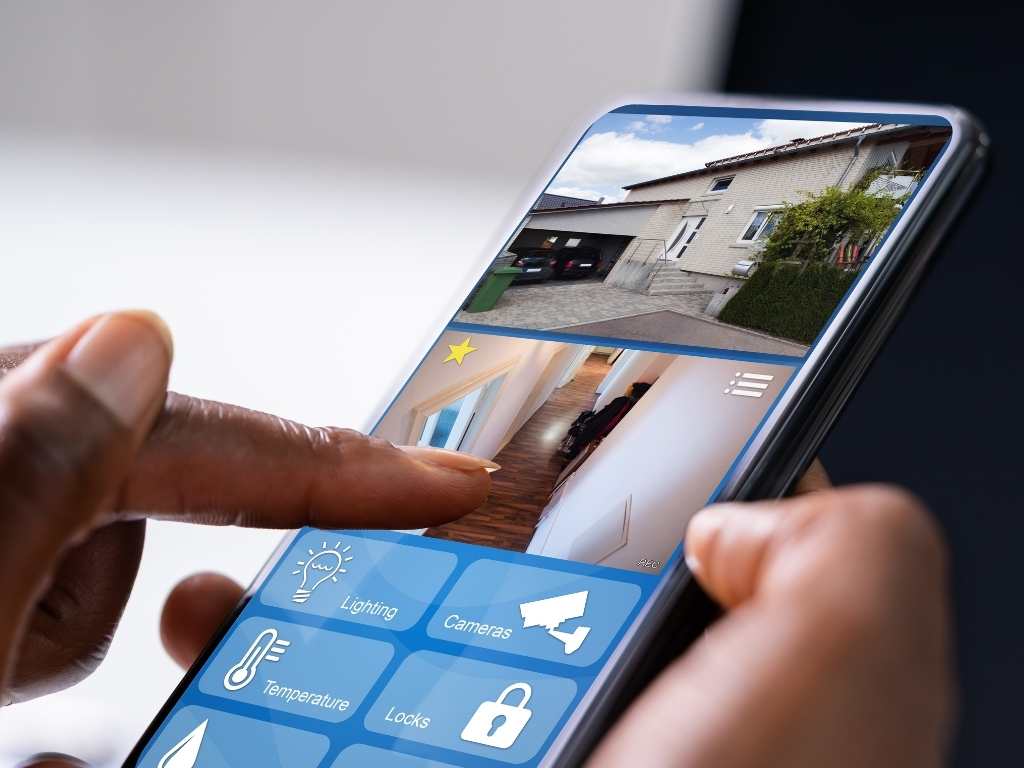
You need reliable CCTV to protect your property. A CCTV system with remote viewing lets you keep an eye on your business even when you’re away or working from home! You can log in from anywhere, see what’s happening in real-time, and immediately protect your business or home.

If you don’t have CCTV, YOU NEED HELP! 

Get the help you need, contact our team:

✉️ Sales@leaftechnologies.co.za | ☎️ 031 001 5323

www.leaftechnologies.co.za

What is Cloud storage, and why is it important? 

What is Cloud storage, and why is it important? 

Cloud Storage enables you to store your data on hosted servers in a separate location. This means you can store all your digital things like documents, photos, music and videos remotely, without taking up physical space in your home or office or using up megabytes on your computer.

Cloud storage is essential because even if your computer crashes or gets destroyed or stolen, your data remains safely stored in the “cloud” (another server in a different location). Thus, you can plugin and pick up where you left off without losing any information. 

For more help or further information on Cloud Storage – ask your Leaf Technologies team 

The IT Company that understands your business

✉️ Sales@leaftechnologies.co.za | ☎️ 031 100 5323 | https://leaftechnologies.co.za/contact-leaf-technologies/

[/et_pb_text][/et_pb_column][/et_pb_row][/et_pb_section]

What is Cloud storage, and why is it important? 

Cloud Storage enables you to store your data on hosted servers in a separate location. This means you can store all your digital things like documents, photos, music and videos remotely, without taking up physical space in your home or office or using up megabytes on your computer.

Cloud storage is essential because even if your computer crashes or gets destroyed or stolen, your data remains safely stored in the “cloud” (another server in a different location). Thus, you can plugin and pick up where you left off without losing any information. 

For more help or further information on Cloud Storage – ask your Leaf Technologies team 

The IT Company that understands your business

✉️ Sales@leaftechnologies.co.za | ☎️ 031 100 5323 | https://leaftechnologies.co.za/contact-leaf-technologies/

Security Tips – Keep Your Privacy Settings On

Security Tips – Keep Your Privacy Settings On

In today’s digital age, it is crucial to take proactive measures in safeguarding your personal information. As technology evolves, so do the tactics employed by marketers and cybercriminals alike. These entities often seek to exploit your online behaviour, which can lead to significant risks to your privacy and security. By understanding how to manage your data sharing effectively, you can significantly mitigate these risks. For instance, consider the importance of strong privacy settings across various platforms. Regularly evaluate what you post online and the potential risks associated with oversharing. Engaging in active online privacy management is essential for preserving your security. Additionally, staying updated with the latest security tips online can greatly enhance your awareness and protection, ensuring you are well-equipped to handle potential threats.

Contact us today for comprehensive guidance on security measures tailored for your needs. Understanding the importance of digital safety is the first step towards ensuring a secure online presence.

Finally, remember that maintaining your online security is an ongoing journey. Regularly update your security practices in response to evolving threats. Engage with the community to stay informed about new security tips online and share your experiences with others. Your vigilance and proactive approach can make a significant difference in your online safety. By following these essential security tips online, you can ensure a more secure digital experience and protect your information effectively.

Begin by assessing which personal information you are comfortable sharing online. This includes everything from your name and address to your browsing habits. Often, we overlook the details we share on social media platforms; therefore, it’s essential to review your privacy settings regularly. Most platforms now provide enhanced privacy features that allow you to control who sees your information and posts. Make sure to turn on these privacy features to safeguard your data from unwanted access.

Additionally, it’s beneficial to educate yourself on data minimisation principles. Only provide the information that is absolutely necessary when signing up for services or making purchases online. For example, some sites request your full address even for digital services; it is perfectly acceptable to provide only the necessary details. By limiting the data you share, you reduce the risk of it being misused in a breach.

Consider using browser extensions that enhance your online privacy. Tools like ad blockers or script blockers can significantly reduce the amount of data that websites collect about you. These tools not only improve your browsing experience by eliminating disruptive ads but also help prevent your behaviour from being tracked across various sites. It’s crucial to select reputable extensions as some may compromise your security rather than enhance it.

Furthermore, consider setting up alerts for any unusual activity on your accounts. Most financial institutions and online services offer notifications for logins from unrecognised devices or changes to account settings, providing an additional layer of security. This proactive approach allows you to act quickly to secure your accounts if you notice any suspicious activity.

Furthermore, web browsers and mobile operating systems provide various settings aimed at enhancing your online privacy. For instance, you can manage cookies, block intrusive ads, and even use incognito modes to prevent your browsing history from being stored. It’s also wise to use strong, unique passwords for your accounts, as this simple practice can go a long way in protecting your information.

It’s also wise to periodically review the permissions granted to apps on your devices. Many applications request access to more information than necessary for their functionality. For instance, a simple weather app shouldn’t need access to your contacts or camera. By regularly auditing these permissions, you can prevent unnecessary data sharing and enhance your overall security posture.

Engage in regular discussions about online safety with your family and friends. Sharing insights about security tips online can create a more informed community, where everyone is aware of potential threats and protective measures. Establishing a culture of awareness and caution can be incredibly beneficial, especially for younger internet users who may not understand the risks as thoroughly.

As you navigate the complexities of online security, know that you are not alone. Many resources and professionals are available to assist you in fortifying your digital privacy. For tailored advice, feel free to reach out and explore how to enhance your online safety measures.

Moreover, utilising secure payment methods when shopping online can further protect your financial data. Services like PayPal or virtual credit cards can act as intermediaries, keeping your banking information private and safe from potential breaches. Always opt for these secure methods whenever possible to reduce exposure to fraud.

Consider implementing two-factor authentication wherever possible. This additional layer of security ensures that even if your password is compromised, your accounts remain protected. For example, when logging into your bank account, a verification code could be sent to your mobile phone, thus preventing unauthorised access.

In addition, always keep your software up to date. Outdated applications can become vulnerable to attacks as new threats emerge. By regularly updating your software, you can protect yourself from known exploits and vulnerabilities.

Moreover, be wary of public Wi-Fi networks. While convenient, these networks are often not secure, making it easy for hackers to intercept your data. If you must use public Wi-Fi, consider using a Virtual Private Network (VPN) to encrypt your internet connection and protect your data.

Educating yourself on the latest security tips online is pivotal in maintaining your digital safety. Stay informed about common scams and phishing attempts that may target you. Cybercriminals are constantly devising new strategies to deceive individuals into providing personal information. Recognising these tactics can empower you to avoid falling victim to such schemes.

If you find navigating online security overwhelming, seek out professional help. For more information or assistance in keeping your business and home safe online, contact Leaf Technologies. Our team of experts is ready to guide you in implementing effective strategies to protect your digital privacy.

✉️ Sales@leaftechnologies.co.za | ☎️ 031 100 5323

Whos watching? Are you? Protect yourself & your business with Leaf Technologies

Whos watching? Are you? Protect yourself & your business with Leaf Technologies

Enhancing Your Cybersecurity with Leaf Technologies

Moreover, Leaf Technologies offers a range of services designed to help businesses enhance their cybersecurity posture. From vulnerability assessments to incident response planning, their expertise can significantly reduce the risk of a cyber attack. By partnering with institutions like Leaf Technologies, businesses can stay ahead of emerging threats and ensure that their data remains secure.

In today’s digital age, having a strong online presence is not enough. Businesses must also integrate cybersecurity into their digital strategy. This can involve regular training sessions for staff, ensuring that everyone understands the importance of security measures, and how to implement them effectively. Furthermore, businesses should regularly review and update their cybersecurity policies to adapt to new threats and challenges.

The consequences of failing to protect against cyber threats can be severe. Companies may face legal repercussions, loss of customer trust, and a damaged reputation. In worst-case scenarios, some businesses have had to close their doors permanently due to the financial fallout from a cyber incident. It is imperative that all businesses, regardless of size, take these threats seriously and act swiftly to mitigate risks. Investing in advanced security solutions is not just a precaution; it is a necessity.

Cybercrime is at an all-time high and continuously evolving, affecting individuals and businesses alike. Hackers have become increasingly sophisticated, utilising advanced techniques to infiltrate systems and steal sensitive information. They know who you are, where you live, and they are watching you, waiting for the perfect opportunity to attack. The implications of cybercrime can be devastating, leading to identity theft, financial loss, and significant disruptions to your business operations. It is crucial to understand the various forms of cyber threats and take proactive measures to protect yourself and your business.

For instance, phishing attacks often come in the form of seemingly legitimate emails that trick individuals into providing personal information. In another example, ransomware has become a prevalent threat, where hackers encrypt files and demand a ransom for their release. Businesses must not only invest in robust cybersecurity measures but also educate their employees about recognising and responding to these threats.

Additionally, the rise of remote work due to recent global events has opened many new vulnerabilities. Employees using home networks may not have the same level of security as in a corporate environment, leading to increased risks. Therefore, implementing comprehensive security protocols, including regular software updates, strong password policies, and multi-factor authentication, is essential in safeguarding against cybercrime.